
Meet.bot makes scheduling effortless for teams. And since we offer unlimited users, even on our free plan, there’s no reason not to invite everyone you work with. Collaboration is easier, faster, and free.
Why invite your team
Having your entire team on Meet.bot means:
Everyone can create and share their own scheduling pages
Team links stay consistent and on-brand
Shared visibility makes managing meetings smoother
How to invite teammates
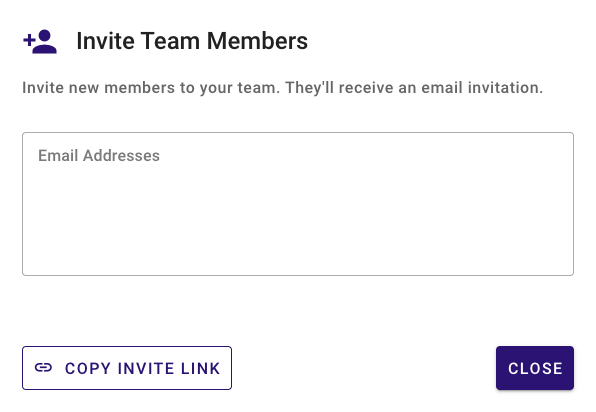
Go to Team Settings and click Invite Team Members.
Enter their email addresses and they’ll receive an email invitation automatically.
Alternatively, click Copy Invite Link to share a direct link for joining your team.
It doesn’t matter if they already have an account; it’ll link them to your team.
Admin roles
When you create a team, you’re the default Admin.
From Team Management, you can:
Assign additional admins
Remove yourself as admin once someone else has that role
Advanced team features (paid plans)
Paid plans unlock extra capabilities:
Standardize branding and styling across all team pages
Remove Meet.bot branding for a fully white-labeled experience
Custom subdomain (annual plan) – get a unified team URL, such as
yourcompany.meet.botso every link from your team follows the same consistent format
Bringing your whole team onto Meet.bot ensures a consistent, professional presence and simplifies scheduling across everyone, at no cost.